If you’ve ever rolled a character in Where Winds Meet only to realize you picked the wrong martial arts sect, hate your chosen playstyle, or just want a completely fresh start, you’re far from alone. I’ve been there myself: I picked a heavy melee build on my first run, only to find I hated close-quarters combat and wanted to restart as a ranged support. It took me 20 minutes of digging through clunky menus to find the right option, so I put this guide together to save you the same headache. If you’re wondering where winds meet delete character functions are hidden, and how to use them without losing valuable progress, we’ve got you covered every step of the way.
Where to Find the Delete Character Option in Where Winds Meet
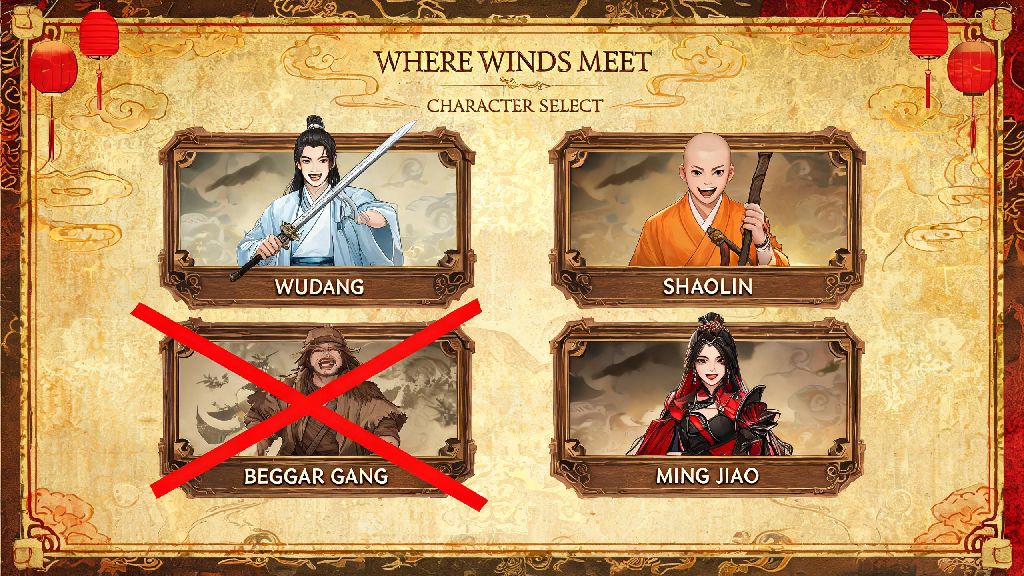
Unlike most MMOs that list character deletion right on the main login screen, Where Winds Meet tucks this feature behind a few layers of in-game menus, which is why so many new players struggle to find it. You can’t access the tool from the character select screen at all, which throws a lot of people off at first. You’ll need to first log into any active character on your server to unlock the menu options.
You won’t see the delete option at all if you only have one character on your server, which is another common gotcha for new players. The game requires you to have at least two characters on the same server before you can delete any of them, so if you only have one, you’ll need to make a quick temporary character first to unlock the tool. It only takes a minute to make a throwaway character, and you can delete it right after you’re done with your original deletion request if you want.
Once you’re logged into a character, open the main game menu by hitting the escape key, then look for the account tab on the far right of the top menu bar. You’ll have to scroll past a lot of other options like settings, social, and quest log to find it, so don’t panic if you don’t see it right away.
Step-by-Step Process to Delete Your Where Winds Meet Character
Once you’ve found the character management menu, the deletion process is straightforward, but there are a few small steps you don’t want to skip to avoid mistakes. Follow these steps exactly, and you’ll have your unwanted character removed safely:
After you submit the request, you’ll get an in-game notification confirming that your deletion is pending. The 72-hour grace period applies to all character deletions, no matter your account level or VIP status, so you have three full days to change your mind if you realize you made a mistake. To cancel the deletion, just head back to the same character management menu, click the three-dot icon next to the pending deletion, and select "Cancel Deletion". The character will be fully restored immediately, with no lost progress.
There are a few cases where your deletion request will be rejected automatically. If the character you’re trying to delete is the current leader of a guild, you’ll have to either transfer leadership to another guild member or disband the guild entirely before you can delete the character. You also can’t delete a character that has an active trade post listing or unclaimed mail, so make sure you collect all mail and cancel any open listings before you start the process.
What You Lose (and Keep) When You Delete a Where Winds Meet Character
One of the biggest fears players have when deleting a character is losing months of hard-earned progress that’s tied to their account. The good news is that most premium and account-wide content stays with you, even if you delete every character on your server. It’s still important to know exactly what stays and what goes so you don’t accidentally lose something valuable.
Account-wide items and progress that you get to keep include all premium gold you’ve purchased or earned, account-bound skins, mounts, and pets that are marked as account-wide, your server-wide faction reputation, any items stored in your shared account warehouse, and all battle pass progression. Battle pass rewards are tied to your account, not your character, so you won’t lose access to them even if you delete the character you earned them on, as long as you’ve claimed them to your account warehouse first.
The content you will lose is all tied specifically to the character you delete. That includes the character’s level, all learned martial arts skills and manuals, any gear that is bound to that specific character, all quest progress tied to that character, any regular in-game currency held in the character’s personal inventory, and any unclaimed rewards in the character’s mail or battle pass tab. It’s a good idea to spend 10 minutes going through the character’s inventory and moving everything you want to keep to the shared account warehouse before you submit your deletion request.
You also won’t get a refund for any character-specific cosmetic items you purchased for the character you delete, so if you spent real money on a skin for that character, make sure you’re okay with losing it before you confirm the deletion.
Common Mistakes to Avoid When Deleting Your Character
Even if you follow the steps correctly, there are a few common mistakes that players make all the time that end up costing them valuable progress. I’ve seen dozens of players post on the official forums about these mistakes, so it’s worth taking a minute to make sure you’re not about to make the same ones.
First, don’t forget to check your character’s personal inventory and mail before you delete them. So many players leave rare crafting materials, limited-time event items, or even premium currency in their character’s personal inventory, only to realize they didn’t move it to the shared warehouse after the character is gone. Once the 72-hour grace period is up, there’s no way to get that content back, even if you contact support.
Second, double check the server and character name before you hit confirm. A lot of players have multiple characters across different servers, and it’s easy to mix up which character you’re selecting if you have similar names across servers. Take two extra seconds to read the server name at the top of the character management page and the character name next to the delete button to make sure you’re removing the right one.
Never share your 4-digit deletion confirmation code with anyone asking you to delete a character, no matter who they say they are. This is a common scam where players pretend to be game support, tell you there’s a problem with your account, and ask you to delete a character and send them the confirmation code to "verify" your account. They’ll use that code to delete your main character, and you’ll have no way to get it back if the grace period ends. Official game support will never ask you for your confirmation code for any reason.
Deleting a character in Where Winds Meet doesn’t have to be a stressful or confusing process, as long as you take the time to follow the steps and double check you’re not losing anything you want to keep. If you’ve been searching for where winds meet delete character steps that don’t skip over the small but important details, this guide should have covered everything you need to know. If you change your mind during the 72-hour grace period, you can always cancel the deletion with just a couple clicks, no hoops to jump through. For more tips on navigating basic account and gameplay features in Where Winds Meet, check out our other beginner guides for more actionable advice.