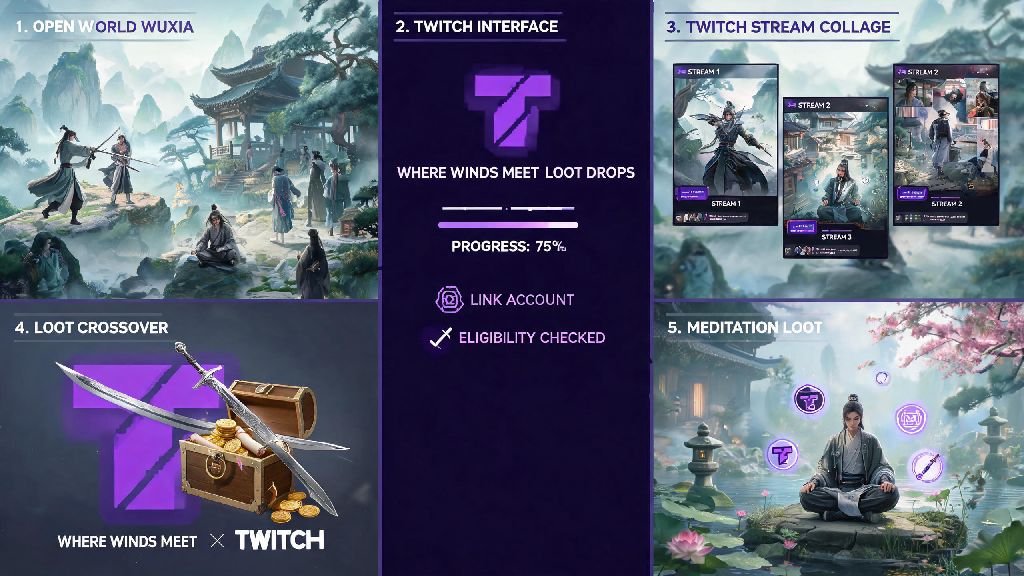
If you’re a fan of the open-world wuxia RPG Where Winds Meet, you’ve probably heard whispers of free in-game loot available via streaming platforms. Knowing where winds meet twitch drops eligibility requirements and claim processes can save you hours of wasted streaming time and help you unlock rare gear you’d otherwise have to grind for months to get. I’ve missed out on three separate drop events in the past because I skipped the account linking step until after I’d spent 4 hours watching streams, so I’ve tested every part of this process to make sure you don’t make the same mistakes I did. Most players miss out on drops simply because they don’t know the exact steps to link their accounts or which streams qualify, so we’re breaking down every part of the process in plain, easy-to-follow terms.
Where Winds Meet Twitch Drops: Eligibility Rules You Need to Know First
Before you start leaving streams running to earn drops, there are a few non-negotiable rules you have to follow to qualify. First, you need two active, valid accounts: a registered Twitch account, and a Steam or Epic Games account that has Where Winds Meet installed and linked to your game profile. You must link your accounts before you watch any eligible streams to earn progress, as watch time does not count retroactively. If you watch three hours of streams before linking your accounts, none of that time will go toward your drop progress, and you’ll have to start over.
Drops are only available during official promotion windows set by the game’s developers. These windows usually line up with big game updates, anniversary events, or new content launches, so you’ll want to follow the official Where Winds Meet social media accounts to get alerts when drop events go live. Reward pools vary per event, but most drop lineups include common items like in-game silver and crafting materials, plus rare exclusive items like limited-edition weapon skins, mount skins, and outfit sets that you can’t get anywhere else in the game.
How to Earn Progress Toward Drops Fast
Once drop events go live, you don’t have to sit and actively watch streams for hours to earn rewards, but there are a few rules that apply to how watch time is counted. Streams marked with the "Drops Enabled" tag are the only ones that count toward your progress, so always check for that tag under the stream title before you leave it running. Streams without that tag won’t contribute to your progress, even if they’re playing Where Winds Meet during an active drop event.
You don’t have to turn the stream volume up, but you can’t mute the Twitch tab in your browser, and you can’t have the stream minimized for long periods of time. Twitch pauses progress tracking if it detects you haven’t interacted with the platform in 15 minutes, so you’ll want to click into the stream tab every once in a while to keep tracking active. A lot of players leave streams running in the background while they do other tasks, like short casual games during loading screens or breaks between play sessions. If you’re waiting for drop progress to tick over, you can fill short gaps with quick, low-stakes games that don’t require you to commit to a full match, and many players enjoy casual card games like IND Rummy for exactly that purpose.
If you want to speed up your progress and make sure you don’t waste any time, follow these simple tips:
Step-by-Step Process to Claim Your Earned Drops
When your progress for a specific drop hits 100%, you’ll get a pop-up notification on Twitch, plus a red badge on your profile icon to alert you that a reward is ready to claim. The first thing you need to do is click the notification and hit the "Claim" button next to the reward. Unclaimed drops disappear after 7 days, so don't wait to claim them once you earn them. A lot of players forget to check their drop tab, and end up losing rare limited-edition skins because they didn’t claim them in time.
Once you claim the drop on Twitch, the reward will be sent to your linked Where Winds Meet account. Most rewards show up in your in-game mailbox within 10 to 15 minutes, but it can take up to 24 hours during high-traffic drop events. If you don’t see the reward in your mailbox after 24 hours, first double-check that you linked the correct Steam or Epic account to Twitch. It’s very common for players to accidentally link an old, unused game account, so the reward gets sent there instead of the account you actively play on. If you confirmed the account link is correct, you can submit a support ticket to the Where Winds Meet support team, with a screenshot of your claimed drop from Twitch as proof, and they will help you resolve the issue.
Common Twitch Drop Mistakes to Avoid
Even if you follow all the official steps, there are a few common mistakes that make players miss out on rewards, and most of them are easy to avoid if you know what to look for. The most common mistake is assuming all Where Winds Meet streams count for drops, even when there’s no active event running. Drops are not available 24/7, so don’t waste time leaving streams running outside of official promotion windows, because you won’t earn anything for that time.
Twitch requires a verified email address to claim any drops, so double-check that step if you can't hit the claim button. A lot of new Twitch users sign up with a temporary email or skip the verification step, and Twitch blocks drop claims until you verify your contact information. Another common mistake is using third-party tools that promise to auto-watch streams or auto-claim drops for you. These tools violate Twitch’s terms of service, and can get your Twitch account permanently banned, so it’s never worth the risk of losing access to all your drops and subscriptions.
You also don’t want to watch multiple Where Winds Meet streams at the same time to try to earn progress faster. Twitch only counts watch time for one stream at a time, so you won’t get double progress for watching two streams at once, and you might even end up with no progress counted at all if the platform detects unusual viewing activity.
Whether you’re chasing rare weapon skins, exclusive mount skins, or free in-game currency, taking the time to understand where winds meet twitch drops rules and processes is well worth the small effort. You don’t have to spend hours actively watching streams to earn great rewards, as long as you follow the eligibility steps, track your progress regularly, and avoid the common mistakes that make players miss out on free loot. Next time an official drop event goes live, you’ll be ready to earn every reward available with minimal hassle.