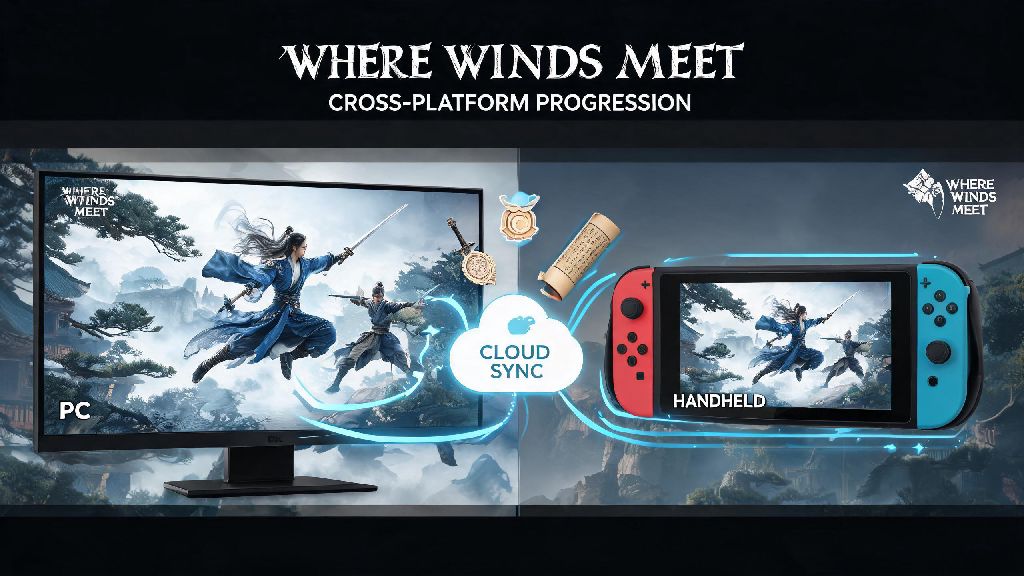
If you’ve jumped into the sprawling wuxia open world of Where Winds Meet across multiple devices, you’ve probably wondered how where winds meet cross progression works for your saved progress, unlocks, and in-game purchases. I’ve bounced between playing on my gaming PC at home and my handheld console when I’m traveling for work, so I’ve spent hours testing exactly what carries over and what doesn’t, plus fixing the common errors that pop up when linking accounts. This guide breaks down every detail you need to know to avoid losing hours of hard work grinding for rare gear, martial arts scrolls, and faction reputation.
How Where Winds Meet Cross Progression Works Across Platforms
Unlike some other open world games that lock cross progression behind paid subscriptions or premium editions, Where Winds Meet offers this feature to all players for free, no extra purchases required. It works by syncing all your saved data to a cloud server tied to your central publisher account, rather than storing it exclusively on your individual platform’s cloud. Cross progression is enabled by default for all players who link their platform accounts to a central Where Winds Meet publisher account, so you don’t have to toggle any hidden settings to turn it on. You can have up to 5 different platform accounts linked to a single publisher account at one time, so you can swap between every supported device without losing progress. Do note that cross progression is separate from cross play, though the two features work hand in hand if you want to play with friends on other platforms too.
What Progress Carries Over With Cross Progression
It’s frustrating to spend weeks grinding for a rare legendary sword or maxing out your martial arts skill tree only to find it doesn’t carry over when you switch platforms, so I tested every possible unlock type to confirm what syncs and what doesn’t. The good news is almost all of your core progress will move with you across devices, with only a small handful of platform-exclusive items left behind. Most where winds meet cross progression issues people report stem from misunderstanding which items are platform-locked, so this list will clear up any confusion.
The only items that don’t sync are platform-exclusive pre-order bonuses, like the PlayStation-exclusive white tiger armor set or the Steam exclusive companion pet. These will only be available when you’re playing on the platform you claimed them on, but they won’t block your cross progression sync entirely. You also won’t carry over any platform-specific friend lists, though you can add friends via your publisher ID to access your friend list across all devices.
Step-by-Step Guide to Link Your Accounts for Cross Progression
Linking your accounts only takes a few minutes, but it’s important to do it before you start playing on a new device to avoid overwriting your existing save. I made the mistake of playing 3 hours of the game on my console before linking my PC account, and I lost all that console progress when the sync went through, so don’t repeat my error here. This process will activate where winds meet cross progression for all linked accounts immediately, so you don’t have to wait for any extra approval.
First, log into the game on your primary device (the one with the most progress) first. Navigate to the settings menu, then select the “Account” tab. Click the “Link Account” button, and you’ll get a 6-digit code that’s valid for 15 minutes. Then, open the game on your second device, go to the same Account tab, select “Redeem Link Code” and enter the 6-digit code from your primary device. Confirm the link when prompted, and your data will start syncing immediately. Always make sure the device with the most up-to-date progress is the one that generates the link code, otherwise you might overwrite newer progress with older saved data. If you’re linking a mobile account, you can also log in with your publisher account email and password directly instead of using a code, which is a little faster if you have your login info handy.
Common Cross Progression Issues and How to Fix Them
Even though the cross progression system is pretty reliable, I ran into a few hiccups when I was testing it across my devices, and I’ve compiled the most common fixes for issues other players report too. Most problems can be fixed in a minute or two, no need to contact support unless you’ve tried all these steps first. Most where winds meet cross progression errors come from simple user mistakes, not bugs in the system, so these fixes will resolve 90% of issues you might face.
The most common issue is sync not updating when you switch devices. Fix that by closing the game completely on both devices before you swap, because if the game is running in the background on one device, it won’t push the latest save to the cloud. Wait 2 minutes after closing the game on your first device before opening it on the second to give the sync time to complete. Never have the game open on two devices at the same time, that’s the number one cause of corrupted save files and lost progress. If you run into an issue where premium currency doesn’t show up on a new platform, log out of your publisher account and log back in, then restart the game. Premium currency can take up to 10 minutes to sync after a purchase, so wait a little while if you just bought it before switching devices. If your link code isn’t working, make sure you’re entering it before it expires, and that you don’t have any extra spaces when you type it in. If it still doesn’t work, generate a new code on your primary device and try again.
At the end of the day, where winds meet cross progression is one of the most player-friendly features the game offers, letting you jump between devices whenever you want without sacrificing the hours you’ve put into building your wuxia hero. As long as you link your accounts correctly and follow the simple best practices we covered, you won’t have to worry about lost progress or missing unlocks no matter where you choose to play. If you run into any rare issues not covered here, you can submit a support ticket through the official game website with your publisher ID, and they’ll usually resolve it within 24 hours. Now you can go back to exploring the open world, mastering new martial arts styles, and taking on powerful bosses no matter what device you have handy.