If you’ve spent 20 minutes staring at the character creation screen in Where Winds Meet, scrolling through sliders and wishing you could skip the guesswork to get a unique, polished look right away, you’re not alone. Thousands of players are sharing and using where winds meet character creation codes to skip the tedious tweaking and unlock looks you can’t get through default options alone. I’ve tested dozens of these codes over the past three months, and I’m breaking down exactly how they work, where to find reliable ones, and how to avoid common mistakes that can break your save or leave you with a glitchy character model.
What Are Where Winds Meet Character Creation Codes, Exactly?
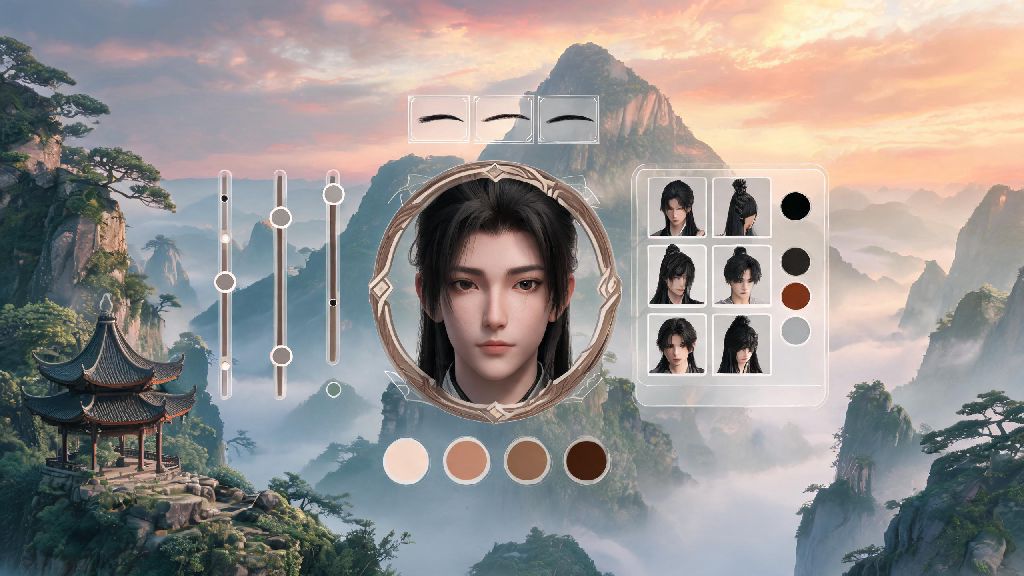
These are short, alphanumeric strings generated by players that save every single slider position, facial feature, hair choice, and even color preset from a custom character. You don’t have to mess with 40+ separate sliders for eye shape, jawline, or skin tone when you can input a code and import a finished build in 10 seconds. Most codes are tied to specific character genders and body types, so you’ll want to make sure you pick the right category before you try to import one. I’ve had friends accidentally try to import a female swordsman code to a male monk build and end up with a hilarious, stretched face model that took 10 minutes to fix. So, always check the code description before you paste it in. Some codes also include extra sliders for character backstory traits, which can even unlock small passive bonuses if you’re playing on the roleplay game mode. Those tiny bonuses don’t break the game, but they can add a nice extra layer of personalization to your playthrough, especially if you’re the type of player who cares about immersion.
How to Safely Use Character Creation Codes in Where Winds Meet
The process is a lot simpler than most players expect, and you don’t need any modding experience to use these codes properly. Most of the best where winds meet character creation codes are shared on official game forums, Reddit communities, and verified Discord servers run by the game’s fan base. Follow these steps to avoid glitches or lost progress:
If you run into an error message when you try to import a code, the most common issue is a missing character at the start or end of the string. Most codes are between 80 and 120 characters long, so if your copied code is shorter or longer than that, it’s probably incomplete. I always double-click the code text to select the whole thing before copying, which prevents me from missing any characters accidentally. Never download code files from random unvetted Discord servers or sketchy download links. All valid Where Winds Meet character creation codes are plain text strings that you can copy and paste directly, no downloads required. Any site asking you to download a file to get a code is almost certainly spreading malware, so steer clear. I’ve seen at least a dozen players post about getting adware on their PCs after falling for these fake code links, so it’s a mistake you don’t want to make.
Top Perks of Using Pre-Made Character Creation Codes
A lot of players assume using these codes takes away from the fun of customizing your character, but that’s not true at all. For one, they’re a perfect starting point if you don’t have a good eye for design. You can import a base code that has the jawline, eye shape, and hair you like, then tweak small details like lip color or scar placement to make it your own. Codes also unlock hidden customization options that are not available in the default creation menu. Many veteran players have found ways to access limited-time event hair colors, rare facial markings, and even unique voice presets by manipulating the sliders in specific ways, and those tweaks are saved right in the code. That means you can get exclusive looks that most players won’t ever see, without having to grind for event rewards or mess with complicated modding tools. You won’t get banned for using these codes, either – the dev team has explicitly stated that sharing and importing character creation codes is allowed, since they don’t give any unfair competitive advantage. Another big perk? If you’re a content creator, using a popular character code can help your audience recognize your content faster, or you can share your own custom code so viewers can play with the same character as you. I shared my custom wanderer character code last month, and over 2,000 players have used it so far, which was a really fun surprise. I’ve also used codes to test out different character looks before I commit to a new playthrough. Instead of spending an hour making a character only to realize I hate how they look in cutscenes, I can import a few codes to see which style fits the playstyle I’m going for. If I’m doing a stealth assassin build, I’ll import a code with sharper, more angular features and dark hair, and if I’m doing a healer build, I’ll pick something softer with lighter colors. It saves me a ton of time, and I never end up stuck with a character I don’t like 10 hours into the game. If you make a character you’re really proud of, you can also generate your own where winds meet character creation codes to share with other players, right from the creation menu.
Common Mistakes to Avoid With Character Creation Codes
Even though these codes are easy to use, there are a few common missteps that can ruin your import or cause issues with your game save down the line. First, don’t use codes that were made for older game patches. The devs adjust sliders and customization options with almost every major update, so a code that worked six months ago might stretch your character’s face or give them mismatched skin tones on different parts of their body. Always check the date the code was posted before you use it to make sure it’s compatible with the current game version. Many communities that share where winds meet character creation codes also tag them by patch version, so you can easily filter out old codes that won’t work anymore. Second, don’t forget to save your original character preset before importing a new code. If you’ve spent hours tweaking your character and want to test a new code, save your current build first so you don’t lose all your hard work if you don’t like the imported look. I made this mistake once early on, and I lost a custom character I’d spent three hours making, so I always save multiple presets now. Finally, don’t try to edit class-locked features with codes. For example, if you’re playing a healer class that can’t have heavy facial tattoos, importing a code that has those tattoos will either leave you with a blank face or force the game to reset your character to default. So, make sure the code you’re using is compatible with your chosen class before you import it. If you do end up with a glitchy character after importing a code, don’t panic. Just exit the creation screen without saving, and your original character will be intact. If you already saved, you can use the “Revert to Default” option and import your original preset if you saved it earlier. There’s no permanent damage to your game save from using these codes, as long as you don’t download any suspicious files.
At the end of the day, where winds meet character creation codes are just a fun way to make your game experience feel more personal, without the hassle of spending hours adjusting every tiny slider. Whether you’re looking for a fearsome warrior look, a soft wandering scholar aesthetic, or even a silly meme character, there’s a code out there for almost every style you can imagine. Just stick to plain text codes from trusted communities, follow the import steps carefully, and don’t be afraid to tweak imported presets to make them feel uniquely yours. You’ll have a character you love showing off in co-op missions and open world exploration in no time.